Amelia MorganFront of house
01 / HOW CLOCK.PIN.WORK WORKSOne tap.
One tap.
Every hour
handled.
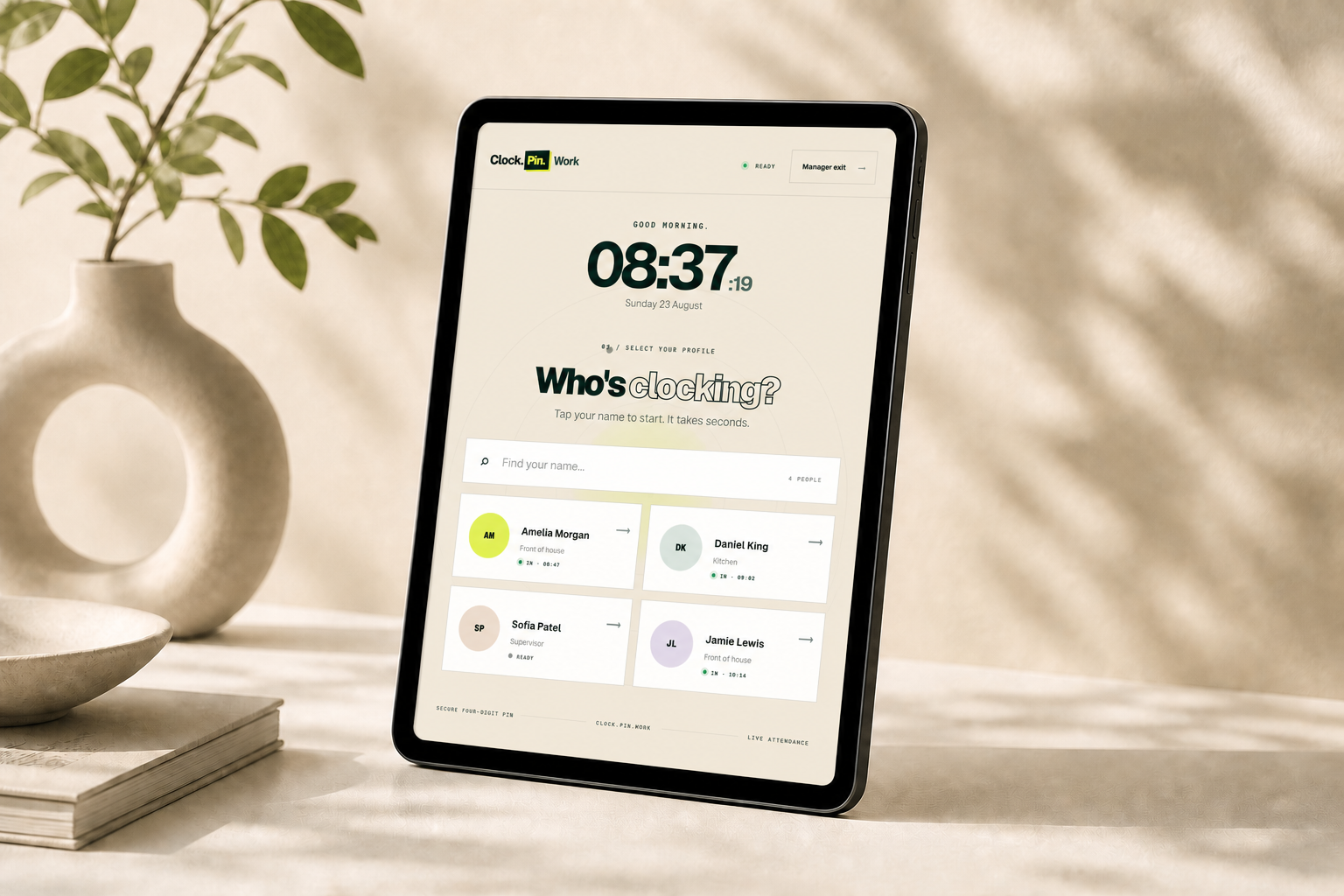
Staff clock in with a four-digit PIN on any tablet. ClockPin sends every shift straight to the owner dashboard—live, calculated and ready for payroll.
NO STAFF APPNO CARDSUSE YOUR OWN TABLET
Hello.
Loading live time
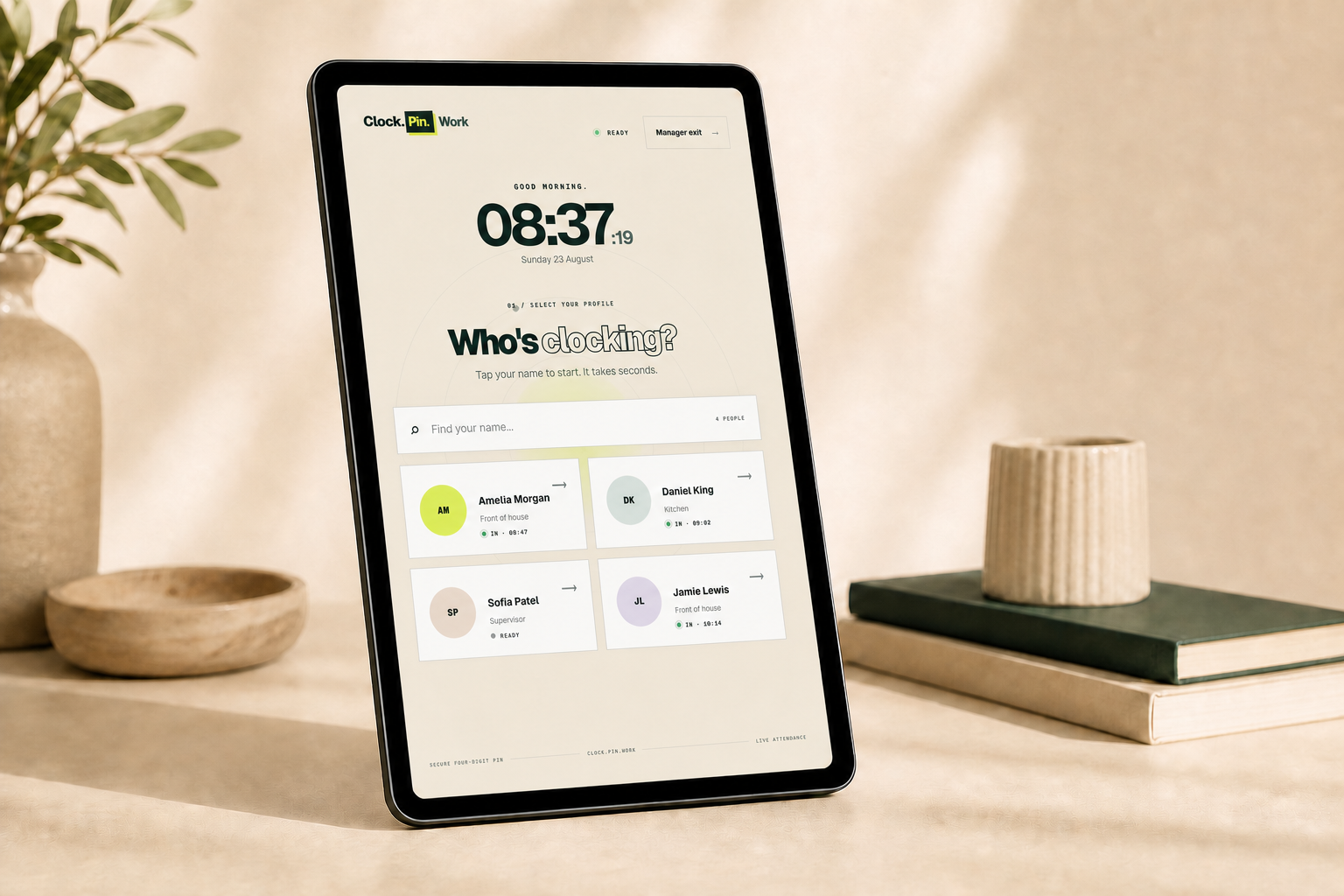
01 / SELECT YOUR PROFILE
Who's clocking?
Tap your name to start.
SHIFT SENT LIVE
OWNER DASHBOARDWho's working.
LIVECLOCKED IN3
HOURS TODAY24.8
01TAP
02PIN
03DONE
TABLET TERMINALLIVE OWNER VIEWREADY IN MINUTES
THE COMPLETE SETUPOne tablet.
One tablet.
One simple URL.
Sign in on the tablet, open clockpin.work/terminal and keep that screen pinned. Staff only see the clocking interface; managers use the dashboard from their own phone or computer.
Start your setup ⟶Hello.
Loading live time
01 / SELECT YOUR PROFILE
Who's clocking?
Tap your name to start.
OWNER VIEW / LIVEAmelia clocked in08:47 · Front of houseSHIFT CAPTURED 0.4s
01 OPEN02 PIN03 READY
STAFF TERMINAL / LIVEAdd your company and verify your email. Your 14-day trial opens instantly—no card.
Enter each person's name, role and private four-digit clocking PIN.
On the shared device, sign in and visit clockpin.work/terminal.
Use Guided Access on iPad or App pinning on Android so ClockPin stays on screen.
ONE TABLETEquipment you already own
4-DIGIT PINSNothing for staff to download
LIVE HOURSNo adding up at the end of the week
£9.99Per business, not per employee
Hello.
Loading live time
01 / SELECT YOUR PROFILE
Who's clocking?
Tap your name to start.
THE STAFF VIEWTap. PIN.
Tap. PIN.
Done.
- Pick a nameEvery active team member appears on the terminal.
- Enter four digitsThe personal PIN confirms who is clocking.
- Clock in or outThe time and live dashboard update instantly.
Watch the hours
take care of themselves.
Every tap travels straight from the shared tablet to your live dashboard—ready to review, correct and export.
Four digits. Shift started.
You can see who is working.
Hours calculated instantly.
Review and export in a click.
NO STAFF APP · NO CARDS · USE YOUR OWN TABLETCould your team clock in tomorrow?
Start 14-day free trial ⟶KEEP IT ON SCREENLock the tablet.
Lock the tablet.
Keep it simple.
Turn any shared tablet into a dedicated ClockPin terminal. Staff see one screen; only a manager can exit it.
IPAD / IPHONE
Guided Access
- Turn it onSettings → Accessibility → Guided Access
- Open ClockPinVisit clockpin.work/terminal in Safari
- Lock the screenTriple-click the side, top or Home button
ANDROID TABLET
App pinning
- Turn it onSettings → Security & privacy → App pinning
- Open ClockPinVisit clockpin.work/terminal in your browser
- Pin the browserOpen recent apps, tap its icon and choose Pin
MANAGER TIP / 01
Require the device passcode to exit. That keeps staff on ClockPin and your tablet settings protected.
THE MANAGER VIEWEverything else
Everything else
lives here.
Owners and managers sign in from their own device to see who is working, add staff, review timesheets and export hours.
Open dashboard preview ⟶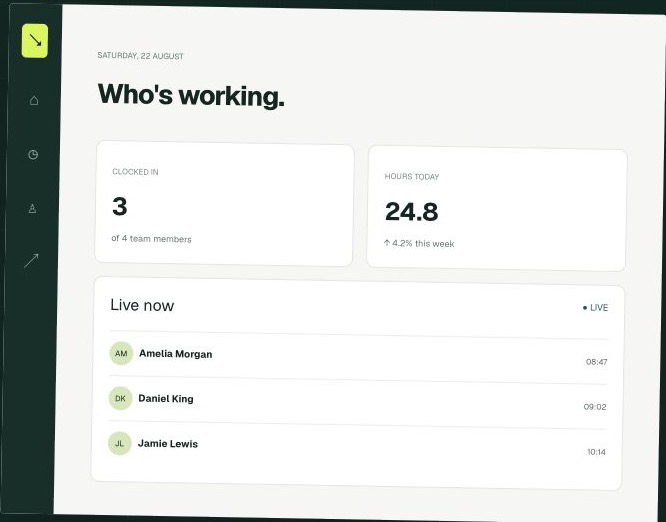 BUSINESS DASHBOARD / LIVE DATA